
OCZ Vector Solid State Drive
OCZ Vector Solid State Drive Review
Manufacturer: OCZ Technology Group, Inc.
Product Name: Vector 2.5" Solid State Drive
Model Number: VTR1-25SAT3-256G (256GB Capacity)
UPC: 842024032342
Prices: 128GB for $159.99 (Newegg/Amazon), 256GB for $269.99 (Newegg/Amazon), 512GB for $569.99 (Newegg/Amazon)
Full Disclosure: The product sample used in this article has been provided by OCZ.
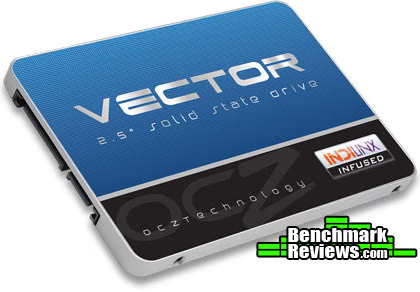
The OCZ Vector 2.5" solid state drive (VTR1-25SAT3 series) is an ultra-slim 7mm high-performance SSD storage device produced in-house by OCZ Technology with a focus on reliability. Featuring OCZ's new Indilinx Barefoot 3 storage controller, the Vector SSD series is built to produce optimized performance for enthusiasts wanting to capitalize on near-instant response times. OCZ Vector SSDs are available in 128/256/512GB capacities, and deliver up to 550MB/s read speeds with up to 95,000 Random Read IOPS. In this article Benchmark Reviews puts these specifications to test, and compares the OCZ Vector solid state drive against the leading competition.
Back in July 2011, OCZ Technology announced their Indilinx "Everest" SATA controller platform, which featured a 275 MHz dual-core Marvell-based CPU with 128KB on-chip SRAM for programs and another 64KB for data. The first product to utilize the new Everest platform was the OCZ Octane SSD, which debuted early in 2012 with a 512MB DRAM cache buffer operating at 400 MHz and custom Indilinx-programmed firmware. The second generation Everest 2 platform again featured a Marvell-based dual-ARM controller, which optimized reduced-write amplifications without data compression to yield better I/O and help extend the product warranty to an industry leading five years. The Indilinx Barefoot 3 SATA controller is an all-original design, yet still delivers these combined features into the Vector SSD.
Solid State vs Hard Disk
Despite decades of design improvements, the hard disk drive (HDD) is still the slowest component of any personal computer system. Consider that modern desktop processors have a 1 ns response time (nanosecond = one billionth of one second), while system memory responds between 30-90 ns. Traditional hard drive technology utilizes magnetic spinning media, and even the fastest spinning mechanical storage products still exhibit a 9,000,000 ns / 9 ms initial response time (millisecond = one thousandth of one second). In more relevant terms, the processor receives the command and must then wait for system memory to fetch related data from the storage drive. This is why any computer system is only as fast as the slowest component in the data chain; usually the hard drive.
In a perfect world all of the components operate at the same speed. Until that day comes, the real-world goal for achieving optimal performance is for system memory to operate as quickly as the central processor and then for the storage drive to operate as fast as memory. With present-day technology this is an impossible task, so enthusiasts try to close the speed gaps between components as much as possible. Although system memory is up to 90x (9000%) slower than most processors, consider then that the hard drive is an added 1000x (100,000%) slower than that same memory. Essentially, these three components are as different in speed as walking is to driving and flying.
Solid State Drive technology bridges the largest gap in these response times. The difference a SSD makes to operational response times and program speeds is dramatic, and takes the storage drive from a slow 'walking' speed to a much faster 'driving' speed. Solid State Drive technology improves initial response times by more than 450x (45,000%) for applications and Operating System software, when compared to their mechanical HDD counterparts. The biggest mistake PC hardware enthusiasts make with regard to SSD technology is grading them based on bandwidth speed. File transfer speeds are important, but only so long as the operational I/O performance can sustain that bandwidth under load.
Bandwidth Speed vs Operational Performance
As we've explained in our SSD Benchmark Tests: SATA IDE vs AHCI Mode guide, Solid State Drive performance revolves around two dynamics: bandwidth speed (MB/s) and operational performance I/O per second (IOPS). These two metrics work together, but one is more important than the other. Consider this analogy: bandwidth determines how much cargo a ship can transport in one voyage, and operational IOPS performance is how fast the ship moves. By understanding this and applying it to SSD storage, there is a clear importance set on each variable depending on the task at hand.
For casual users, especially those with laptop or desktop computers that have been upgraded to use an SSD, the naturally quick response time is enough to automatically improve the user experience. Bandwidth speed is important, but only to the extent that operational performance meets the minimum needs of the system. If an SSD has a very high bandwidth speed but a low operational performance, it will take longer to load applications and boot the computer into Windows than if the SSD offered a higher IOPS performance.
Closer Look: OCZ Vector SSD Series
Solid state drive devices have gained quick popularity with performance-minded consumers because they work equally well in PC, Linux, or Apple computer systems. Likewise, these drives install quite easily into both desktop and notebook platforms without modification. The OCZ Vector SSD Series is best suited for performance-orientated users, giving personal computers a much faster response time and boosting productivity.
In this article Benchmark Reviews will test the OCZ Vector SSD series. The 256GB model we received (VTR1-25SAT3-256G) is specified to reach 550 MB/s for sequential reads and 530 MB/s sequential writes. OCZ specifies 4K random reads up to 100,000 IOPS and random writes up to 95,000 IOPS. All capacities include Acronis True Image drive cloning software, and a 3.5" to 2.5" drive adapter tray for desktop installation.
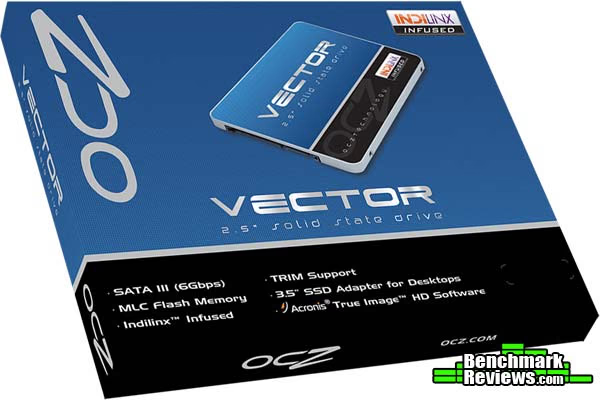
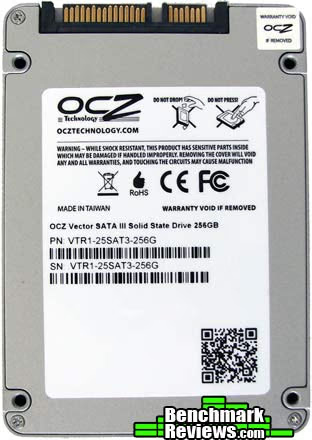
OCZ Technology offers the Vector SSD series in three capacities: 128 GB, 256 GB, and 512 GB. All models share the same part numbers with a capacity designator: VTR1-25SAT3-256G represents the 256 GB model.
Although the product specification advertise extremely fast performance ratings, OCZ Vector SSDs are designed with a focus on product reliability above all else. The Indilinx Barefoot 3 controller and firmware inside Vector SSDs receive a long validation cycle to ensure optimal stability is delivered to the consumer, which is punctuated by an industry-leading OCZ Technology five-year product warranty. This will certainly factor into the consumer's decision, as it guarantees long-term value.
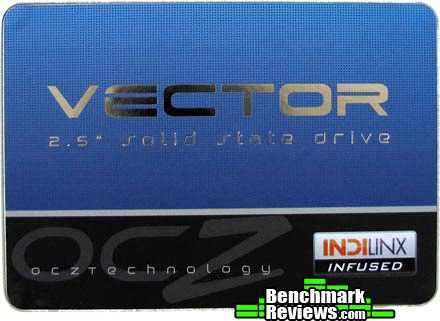
Unlike fragile Hard Disk Drive (HDD) storage products, SSDs are not nearly as sensitive to impact damage and do not require (or benefit from) any kind of special vibration dampening or shock-proof enclosures. Once installed the SSD is usually hidden away from view, which explains why OCZ has maintained a conservative appearance on the Vector solid state drive.
The OCZ Vector SSD features a 7mm thick chassis that comes finished with a silver textured aluminum look. OCZ utilizes a standard two-piece metal enclosure for their Vector-series SSDs, with a series branding label on the top panel and product information label on the bottom. Internal components are revealed by removing four small counter-sunk screws located at the bottom of this solid state drive.

Standard 2.5" drive bay mounting points are pre-drilled into the SSD chassis with fine screw threading, allowing this drive to fit directly into notebook computers that use SATA connections. The SSD mounting positions matched up to the drive bracket on my notebook computer, and after only a few minutes of upgrading I booted-up from a restored Windows 7 System Backup Image with ease. Optionally, by using the included 3.5" to 2.5" tray adapter this SSD will also install directly into ATX desktop computers.
At the heart of OCZ's Vector SSD series is the 65nm 400MHz Indilinx Barefoot 3 controller branded with part number IDX500M00-BC, and comprised of an ARM Cortex processor and OCZ Aragon co-processor. The 256GB Vector SSD tested for this article included 512MB combined DDR3 DRAM cache buffer, using two 256MB Micron IC's (part 2DM77-D9PFJ) fixed to each side of the PCB. OCZ Vector utilizes ONFi 2.x-compatible 25nm synchronous Intel-Micron IMFT synchronous MLC NAND flash components, marked M2502128T048SX22, which are superior to asynchronous NAND but don't have the initial speed that Toggle-Mode NAND flash offers.
Backwards compatible with SATA 1.5 GB/s and 3.0 GB/s interfaces, this SATA 6.0 GB/s controller includes features such as Native Command Queuing (NCQ), S.M.A.R.T. health monitoring, and TRIM-based garbage collection. Indilinx Barefoot 3 SSDs offer BCH error correcting capable of 70 bits correction per 1KB of data.
In the next few sections we'll test the OCZ Vector solid state drive, comparing this solid state drive to other retail products intended for notebook and desktop installations.
OCZ Vector Features and Specifications
Features OCZ In-House Technology
- OCZ-acquired Indilinx and PLX teams developed the Barefoot 3 silicon and firmware
- Vector marks the first major OCZ release with 100% captive, in-house technology (aside from NAND flash)
- OCZ also purchases and packages NAND flash wafers and passes the cost savings to the customer

All features and specifications courtesy OCZ Technology:
|
Usable Capacities |
128GB, 256GB, 512GB |
|
NAND Components |
25nm Multi-Level Cell (MLC) Flash |
|
Interface |
SATA 3.0 6Gb/s |
|
Controller |
Indilinx Barefoot 3 |
|
Form Factor |
2.5-inch; ultra-slim 7mm |
|
Dimensions |
99.7 (L) x 69.75 (W) x 7mm (H) |
|
Drive Weight |
115g |
|
Power Consumption |
Idle: 0.9W Active: 2.25W |
|
Operating Temperature |
0°C ~ 55°C |
|
Storage Temperature |
-45°C ~ 85°C |
|
Shock Resistance |
1500G/0.5ms |
|
Vibration (Operational) |
2.17Grms (7-800Hz) |
|
Vibration (Non-operational) |
16.3Grms (20-2000Hz) |
|
Certifications |
RoHS, CE, FCC, KCC, C-Tick, VCCI, BSMI |
|
PERFORMANCE |
128GB |
256GB |
512GB |
|---|---|---|---|
|
Sequential Read Speed |
550 MB/s |
550 MB/s |
550 MB/s |
|
Sequential Write Speed |
400 MB/s |
530 MB/s |
530 MB/s |
|
Random Read Speed (4K, QD32) |
90,000 IOPS |
100,000 IOPS |
100,000 IOPS |
|
Random Write Speed (4K, QD32) |
95,000 IOPS |
95,000 IOPS |
95,000 IOPS |
|
Data Path Protection |
BCH ECC corrects up to 28 random bits/1KB |
|
Product Health Monitoring |
Self-Monitoring, Analysis and Reporting Technology (SMART) Support |
|
Endurance |
Rated for 20GB/day of host writes for 5 years under typical client workloads |
|
Serial ATA |
Fully compliant with Serial ATA International Organization: Serial ATA Revision 3.0. Fully compliant with ATA/ATAPI-8 Standard Native Command Queuing (NCQ) |
|
Operating Systems |
Windows, Mac, Linux |
|
Performance Optimizations |
TRIM (requires OS support), Idle Time Garbage Collection |
|
Package Contents |
Acronis True Image HD cloning software* registration key; 3.5" desktop adaptor |
|
Warranty |
5-Year Warranty, Toll-Free Tech Support, 24 Hour Forum Support |
|
Drive Model |
Part Number |
UPC |
|---|---|---|
|
128GB |
VTR1-25SAT3-128G |
842024033004 |
|
256GB |
VTR1-25SAT3-256G |
842024032342 |
|
512GB |
VTR1-25SAT3-512G |
842024032335 |
SSD Testing Methodology
Solid State Drives have traveled a long winding course to finally get where they are today. Up to this point in technology, there have been several key differences separating Solid State Drives from magnetic rotational Hard Disk Drives. While the DRAM-based buffer size on desktop HDDs has recently reached 64 MB and is ever-increasing, there is still a hefty delay in the initial response time. This is one key area in which flash-based Solid State Drives continually dominates because they lack moving parts to "get up to speed".
However the benefits inherent to SSDs have traditionally fallen off once the throughput begins, even though data reads or writes are executed at a high constant rate whereas the HDD tapers off in performance. This makes the average transaction speed of a SSD comparable to the data burst rate mentioned in HDD tests, albeit usually lower than the HDD's speed.
Comparing a Solid State Disk to a standard Hard Disk Drives is always relative; even if you're comparing the fastest rotational spindle speeds. One is going to be many times faster in response (SSDs), while the other is usually going to have higher throughput bandwidth (HDDs). Additionally, there are certain factors which can affect the results of a test which we do our best to avoid.
SSD Testing Disclaimer
Early on in our SSD coverage, Benchmark Reviews published an article which detailed Solid State Drive Benchmark Performance Testing. The research and discussion that went into producing that article changed the way we now test SSD products. Our previous perceptions of this technology were lost on one particular difference: the wear leveling algorithm that makes data a moving target. Without conclusive linear bandwidth testing or some other method of total-capacity testing, our previous performance results were rough estimates at best.
Our test results were obtained after each SSD had been prepared using DISKPART or Sanitary Erase tools. As a word of caution, applications such as these offer immediate but temporary restoration of original 'pristine' performance levels. In our tests, we discovered that the maximum performance results (charted) would decay as subsequent tests were performed. SSDs attached to TRIM enabled Operating Systems will benefit from continuously refreshed performance, whereas older O/S's will require a garbage collection (GC) tool to avoid 'dirty NAND' performance degradation.
It's critically important to understand that no software for the Microsoft Windows platform can accurately measure SSD performance in a comparable fashion. Synthetic benchmark tools such as ATTO Disk Benchmark and Iometer are helpful indicators, but should not be considered the ultimate determining factor. That factor should be measured in actual user experience of real-world applications. Benchmark Reviews includes both bandwidth benchmarks and application speed tests to present a conclusive measurement of product performance.
Test System
- Motherboard: ASUS P8P67 EVO (Intel P67 Sandy Bridge Platform, B3 Stepping)
- Processor: Intel Core i7-2600K 3.4 GHz Quad-Core CPU
- System Memory: 4GB Dual-Channel DDR3 1600MHz CL6-6-6-18
- SATA 6Gb/s Storage HBA: Integrated Intel P67 Controller
- AHCI mode - Intel Rapid Storage Technology Driver 11.7.0.1013
- SATA 3Gb/s Storage HBA: Integrated Intel P67 Controller
- AHCI mode - Intel Rapid Storage Technology Driver 11.7.0.1013
- Operating System: Microsoft Windows 7 Ultimate Edition 64-Bit with Service Pack 1
Storage Hardware Tested
The following storage hardware has been used in our benchmark performance testing, and may be included in portions of this article:
- Crucial RealSSD-C300 CTFDDAC256MAG-1G1 256GB SATA 6Gb/s MLC SSD
- Crucial m4 CT256M4SSD2 256GB SATA 6Gb/s MLC SSD
- Intel X25-E Extreme SSDSA2SH032G1GN SATA 3Gb/s SLC SSD
- Intel SSD 311 Series Larson Creek SSDSA2VP020G2E
- Intel SSD 320 Series MLC Solid State Drive SSDSA2CW160G3
- Intel SSD 335 Series Solid State Drive SSDSC2CT240A4K5
- Intel SSD 520 Series MLC Solid State Drive SSDSC2CW240A3
- OCZ RevoDrive OCZSSDPX-1RVD0120 120GB MLC PCI-Express SSD
- OCZ RevoDrive X2 OCZSSDPX-1RVDX0240 240GB MLC PCI-E SSD
- OCZ RevoDrive 3 X2 RVD3X2-FHPX4-480G 480GB MLC PCI-E SSD
- OCZ Agility 2 OCZSSD2-2AGTE120G 120GB MLC SSD
- OCZ Agility 3 AGT3-25SAT3-240G 240GB MLC SSD
- OCZ Vertex 2 OCZSSD2-2VTXE120G 120GB MLC SSD
- OCZ Vertex 3 VTX3-25SAT3-240G 240GB MLC SSD
- OCZ Vertex 3 Max IOPS VTX3MI-25SAT3-240G MLC SSD
- OCZ Vertex 4 VTX4-25SAT3-256G MLC SSD
- OCZ Octane OCT1-25SAT3-512G MLC SSD
- OCZ Vector VTR1-25SAT3-256G MLC SSD
- Patriot Torqx 2 PT2128GS25SSDR 128GB MLC SSD
- WD SiliconEdge-Blue SSC-D0256SC-2100 256GB MLC SSD
Test Tools
- AS SSD Benchmark 1.6.4067.34354: Multi-purpose speed and operational performance test
- ATTO Disk Benchmark 2.46: Spot-tests static file size chunks for basic I/O bandwidth
- CrystalDiskMark 3.0.1a by Crystal Dew World: Sequential speed benchmark spot-tests various file size chunks
- Iometer 1.1.0 (built 08-Nov-2010) by Intel Corporation: Tests IOPS performance and I/O response time
- Lavalys EVEREST Ultimate Edition 5.50: Disk Benchmark component tests linear read and write bandwidth speeds
- Futuremark PCMark Vantage: HDD Benchmark Suite tests real-world drive performance
Test Results Disclaimer
This article utilizes benchmark software tools to produce operational IOPS performance and bandwidth speed results. Each test was conducted in a specific fashion, and repeated for all products. These test results are not comparable to any other benchmark application, neither on this website or another, regardless of similar IOPS or MB/s terminology in the scores. The test results in this project are only intended to be compared to the other test results conducted in identical fashion for this article.
AS-SSD Benchmark
Alex Schepeljanski of Alex Intelligent Software develops the free AS SSD Benchmark utility for testing storage devices. The AS SSD Benchmark tests sequential read and write speeds, input/output operational performance, and response times.
Beginning with sequential transfer performance, the OCZ Vector solid state drive produced speeds up to 506.14 MB/s for reads and 495.86 MB/s writes. Since the OCZ/Indilinx Barefoot 3 platform is not dramatically effected by the compressed data used in this benchmark, sequential file transfer speeds appear higher than SSDs that prefer uncompressed data. For this reason, we concentrate on the operational IOPS performance for this section.
Single-threaded 4K IOPS performance tests deliver 24.37 MB/s read and 70.79 MB/s write, while the 64-thread 4K reads recorded 356.20 MB/s and write performance was 304.24 MB/s. This is significantly better than all other SATA-based SSDs previously released.

AS-SSD 64-thread 4KB IOPS performance results are displayed in the chart below, which compares several enthusiast-level storage products currently on the market. In these 64-thread 4KB IOPS performance tests the OCZ Vector series outperformed all other previously tested SATA-based SSDs. The chart below is sorted by total combined performance, which helps illustrate which products offer the best operational input/output under load:

In the next section, Benchmark Reviews tests transfer rates using ATTO Disk Benchmark.
ATTO Disk Benchmark
The ATTO Disk Benchmark program is free, and offers a comprehensive set of test variables to work with. In terms of disk performance, it measures interface transfer rates at various intervals for a user-specified length and then reports read and write speeds for these spot-tests. There are some minor improvements made to the 2.46 version of the program that allow for test lengths up to 2GB, but all of our benchmarks are conducted with 256MB total length. ATTO Disk Benchmark requires that an active partition be set on the drive being tested. Please consider the results displayed by this benchmark to be basic bandwidth speed performance indicators.

ATTO Disk Benchmark: Queue Depth 4 (Default)
Our bandwidth speed tests begin with the OCZ Vector solid state drive attached to the Intel P67-Express SATA 6Gb/s controller operating in AHCI mode. Using the ATTO Disk Benchmark tool, the test drive performs basic file transfers ranging from 0.5 KB to 8192 KB.

ATTO Disk Benchmark: Queue Depth 10
The 256GB model provided to Benchmark Reviews for testing produced 559 MBps maximum read speeds that plateau from 128-8192 KB file chunks, and 536 MBps peak write bandwidth that also plateaus from 128-8192 KB. These results agree with OCZ's performance specifications of 550/530 MBps for all 256/512GB Vector SSDs.

In the next section, Benchmark Reviews tests sequential performance using the CrystalDiskMark 3.0 software tool...
CrystalDiskMark 3.0 Tests
CrystalDiskMark 3.0 is a file transfer and operational bandwidth benchmark tool from Crystal Dew World that offers performance transfer speed results using sequential, 512KB random, and 4KB random samples. For our test results chart below, the 4KB 32-Queue Depth read and write performance was measured using a 1000MB space. CrystalDiskMark requires that an active partition be set on the drive being tested, and all drives are formatted with NTFS on the Intel P67 chipset configured to use AHCI-mode. Benchmark Reviews uses CrystalDiskMark to illustrate operational IOPS performance with multiple threads. In addition to our other tests, this benchmark allows us to determine operational bandwidth under heavy load.
CrystalDiskMark uses compressed data in its benchmark tests, and since the OCZ/Indilinx Barefoot 3 platform is not dramatically effected by the compressed data used in this benchmark sequential file transfer speeds appear higher than SSDs that prefer uncompressed data. For this reason, we concentrate on the operational IOPS performance for this section.
CrystalDiskMark 3.0 reports sequential speeds reaching 522.0 MB/s reads and 510.8 MB/s writes. 512K test results reached 422.9 MB/s read and 499.5 MB/s write performance. 4K tests produced 27.37 read and 96.72 write performance. All the results produced by CrystalDiskMark for the OCZ Vector SSD are significantly better than previously tested solid state drive products.

Maximum 4KB IOPS performance results at queue depth 32 are reported in the chart below. These values represent the performance levels for several enthusiast-level storage solutions, and illustrates which products offer the best operational performance under load:

In the next section, we continue our testing using Iometer to measure input/output performance...
Iometer IOPS Performance
Iometer is an I/O subsystem measurement and characterization tool for single and clustered systems. Iometer does for a computer's I/O subsystem what a dynamometer does for an engine: it measures performance under a controlled load. Iometer was originally developed by the Intel Corporation and formerly known as "Galileo". Intel has discontinued work on Iometer, and has gifted it to the Open Source Development Lab (OSDL). There is currently a new version of Iometer in beta form, which adds several new test dimensions for SSDs.
Iometer is both a workload generator (that is, it performs I/O operations in order to stress the system) and a measurement tool (that is, it examines and records the performance of its I/O operations and their impact on the system). It can be configured to emulate the disk or network I/O load of any program or benchmark, or can be used to generate entirely synthetic I/O loads. It can generate and measure loads on single or multiple (networked) systems.
To measure random I/O response time as well as total I/O's per second, Iometer is set to use 4KB file size chunks over a 100% random sequential distribution at a queue depth of 32 outstanding I/O's per target. The tests are given a 50% read and 50% write distribution. While this pattern may not match traditional 'server' or 'workstation' profiles, it illustrates a single point of reference relative to our product field.
All of our SSD tests used Iometer 1.1.0 (build 08-Nov-2010) by Intel Corporation to measure IOPS performance, using a SandForce-created QD30 configuration: 4KB 100 Random 50-50 Read and Write.icf. The chart below illustrates combined random read and write IOPS over a 120-second Iometer test phase, where highest I/O total is preferred:

In our Iometer tests, which are configured to use 32 outstanding I/O's per target and random 50/50 read/write distribution, SandForce SSDs generally outperform the competition when tested with this large queue depth. The OCZ Vertex 4 SSD tops our charts with an impressive combined IOPS of 83,494 - the best we've seen from any SATA-based SSD. The 240GB OCZ Vertex 3 Max IOPS Edition trails behind with 83,117 IOPS while the Intel SSD 520 Series produced 80,433 peak combined IOPS. OCZ's Vector SSD trailed behind the SandForce and Marvell-based solid state products, producing a noteworthy 60,052 combined IOPS in this test. Although not among the highest I/O marks, Vector's performers delivers operational performance far beyond the needs of multi-tasking power users and hardcore gamers, and would be ideal for systems running virtual machines.
OCZ Technology suggested an additional Iometer test using their own configuration file (4KRW-15m.icf), and Benchmark Reviews was happy to ablige. We set the sector size to 250053918, which created a 50% LBA load on the SSDs tested. Then we tested again with the default sector size of 0 for 100 LBA load. This tested write performance on the Vector SSD compared to a select few other drives available, and showed some interesting results. Although the results are too complex to graph properly in our charts, the trend showed that Vector was sucessful in producing high I/O when capacity was seriously reduced, as opposed to an empty drive. Random write performance reached 57,398 IOPS, which was nearly the same as combined IOPS performance with 100% capacity. Overall, the OCZ Vector SSD showed great promise in real-world performance scenarios, where the drive will be filled with data and only a portion of it will be writable.
In our next section, we test linear read and write bandwidth performance and compare its speed against several other top storage products using EVEREST Disk Benchmark. Benchmark Reviews feels that linear tests are excellent for rating SSDs, however HDDs are put at a disadvantage with these tests whenever capacity is high.
EVEREST Disk Benchmark
Many enthusiasts are familiar with the Lavalys EVEREST benchmark suite, but very few are aware of the Disk Benchmark tool available inside the program. The EVEREST Disk Benchmark performs linear read and write bandwidth tests on each drive, and can be configured to use file chunk sizes up to 1MB (which speeds up testing and minimizes jitter in the waveform). Because of the full sector-by-sector nature of linear testing, Benchmark Reviews endorses this method for testing SSD products, as detailed in our Solid State Drive Benchmark Performance Testing article. However, Hard Disk Drive products suffer a lower average bandwidth as the capacity draws linear read/write speed down into the inner-portion of the disk platter. EVEREST Disk Benchmark does not require a partition to be present for testing, so all of our benchmarks are completed prior to drive formatting.
Linear disk benchmarks are superior bandwidth speed tools in my opinion, because they scan from the first physical sector to the last. A side affect of many linear write-performance test tools is that the data is erased as it writes to every sector on the drive. Normally this isn't an issue, but it has been shown that partition table alignment will occasionally play a role in overall SSD performance (HDDs don't suffer this problem).

The high-performance storage products we've tested with Lavalys EVEREST Disk Benchmark are connected to the Intel P67-Express SATA 6Gb/s controller and use a 1MB block size option. Read performance on the OCZ Vector solid state drive measured average speeds of 484.3 MB/s, with a relatively close maximum peak speed of 491.9 MB/s. These read results are among the highest we've tested, and very consistent across the full range of capacity. Everest linear write-to tests were next...

The waveform chart below illustrates how well the OCZ Vector manages file transfers, and makes linear write performance appears relatively uneven. The results seen here are consistent with most other SSD products we've tested in the past that use a DRAM cache buffer. The OCZ Vector solid state drive recorded an average linear write-to speed of 378.4 MB/s, with maximum performance reaching 400.0 MB/s. Write-to results fell behind many recently-tested SSDs, which could be explained by Vector's mission to deliver superior stability and NAND reliability opposed to raw performance figures.
The chart below shows the average linear read and write bandwidth speeds for a cross-section of storage devices tested with EVEREST:

Linear tests are an important tool for comparing bandwidth speed between storage products - although HDD products suffer performance degradation over the span of their areal storage capacity. Linear bandwidth certainly benefits the Solid State Drive, since there's very little fluctuation in transfer speed. This is because Hard Disk Drive products decline in performance as the spindle reaches the inner-most sectors on the magnetic platter, away from the fast outer edge.
In the next section we use PCMark Vantage to test real-world performance...
PCMark Vantage HDD Tests
PCMark Vantage is an objective hardware performance benchmark tool for PCs running 32- and 64-bit versions of Microsoft Windows Vista or Windows 7. PCMark Vantage is well suited for benchmarking any type of Microsoft Windows Vista/7 PC: from multimedia home entertainment systems and laptops, to dedicated workstations and high-end gaming rigs. Benchmark Reviews has decided to use the HDD Test Suite to demonstrate simulated real-world storage drive performance in this article.
PCMark Vantage runs eight different storage benchmarks, each with a specific purpose. Once testing is complete, results are given a PCMark score while and detailed results indicate actual transaction speeds. The 256GB OCZ Vector SSD produced a total PCMark Vantage (secondary) HDD Test Suite score of 74980, with specific speeds reported below:

Our tests were conducted on an Intel P67-Express Sandy Bridge motherboard using the onboard native SATA 6Gb/s controller with 64-bit Windows 7. Because new drivers were used, this test is not comparible to past tests and may not be fairly compared to storage devices attached to other computer systems.
In the next section, I share my review conclusion and final product rating.
OCZ Vector SSD Conclusion
IMPORTANT: Although the rating and final score mentioned in this conclusion are made to be as objective as possible, please be advised that every author perceives these factors differently at various points in time. While we each do our best to ensure that all aspects of the product are considered, there are often times unforeseen market conditions and manufacturer changes which occur after publication that could render our rating obsolete. Please do not base any purchase solely on our conclusion, as it represents our product rating specifically for the product tested which may differ from future versions. Benchmark Reviews begins our conclusion with a short summary for each of the areas that we rate.
Our performance rating considers how effective the OCZ Vector SSD performs in file transfer operations against competing solid-state storage solutions. For reference, the 256GB model is specified by OCZ to produce up to 550 MB/s read speeds and 530 MB/s writes. In our storage benchmark tests the OCZ Vector SSD (256GB model VTR1-25SAT3-256G) performed slightly above these speeds. Our test results demonstrated that OCZ's Vector SSD was good for delivering 559/536 MB/s peak read and write speeds using ATTO Disk Benchmark SSD speed tests. Linear file transfers with Everest Disk Benchmark produced 484/378 MB/s, which exceeds performance of the OCZ Vertex 4 and OCZ Octane SSDs. Transfer speeds were very fast overall, and among some of the best we've recorded.
The 256GB OCZ Vector SSD sent to us for testing is advertised to deliver up to 100,000 random 4KB read IOPS and 95,000 random 4KB write IOPS... which is greater than any past SATA-based SSD that OCZ Technology has offered. Using Iometer operational performance tests configured to a queue depth of 32 outstanding I/O's per target across 100% of the drive, our benchmarks produced 60,052 combined IOPS performance. Using OCZ's own suggested test configuration, which more accurately represents an SSD with 50% data fill, the random 4K write test produced 57,398 IOPS. In 4K 32QD tests using AS-SSD and CrystalDiskMark, the OCZ Vector SSD excelled well past the competition by a very sizable margin.
Taking these results together, it's clear that OCZ have designed their Indilinx Barefoot 3 controller inside the Vector SSD series to deliver superior performance and reliability in real-world usage scenarios. Compared to other SSD products that utilize toggle or asynchronous NAND flash components, the synchronous NAND flash components used in the OCZ Vector series resist performance degradation as storage capacity is filled and represent the future of consumer-level solid state drives. Not only are these components fast, but they maintain better performance throughout the product's lifetime.
Solid State Drives are low-visibility products: you see them just long enough to install and then they're forgotten. Like their Hard Disk Drive counterparts, Solid State Drives are meant to place function before fashion. Anything above and beyond a simple metal shell is already more than what's expected in terms of the appearance. OCZ Technology has created a sleek 7mm profile with appealing finish on their Vector series SSDs. As solid state storage controllers become faster and more advanced, heat dissipation through the enclosure walls may demand that chassis designs become more beneficial than they previously needed to be. For now, the thermal transfer pad that joins the metal chassis to an Indilinx Barefoot 3 controller suits it nicely.
Construction is probably the strongest feature credited to the entire SSD product segment, and OCZ products seldom offer exception to this rule. Solid-state storage is by nature immune to most abuses, but add a hard metal shell and the chance of failure is reduced to internal component defects. If any Vector series SSD product happens to fail during the 5-year warranty period, end-users may contact OCZ via the company website or extensive support forums. Fortunately, there's also a toll-free telephone number (800-459-1816) for free technical support and customer service questions. OCZ has been proven to be one of the best companies in the business when it comes to customer service, and replacement parts are often sent with priority delivery.
As of January 2013, the OCZ Vector SSD is available online in the following capacities and prices:
- VTR1-25SAT3-128G (128GB): $159.99 (Newegg/Amazon)
- VTR1-25SAT3-256G (256GB): $269.99 (Newegg/Amazon)
- VTR1-25SAT3-512G (512GB): $569.99 (Newegg/Amazon)
The OCZ Vector SSD series reflects OCZ Technology's dedication towards product reliability, and the Indilinx Barefoot 3 controller delivers usable I/O performance rather than simply generating fast file transfer speeds. Consumers have been brainwashed into thinking SSDs are all about transfer speeds even though operational input-output performance is the most important metric. Most of us use our computers to actually do and store things, instead of just moving data across an empty drive. The new 400MHz Indilinx Barefoot 3 controller produces impressive SATA 6 Gb/s speeds while generating IOPS performance to support massive concurrent transactions like a database server might require. Additionally, the use of 25nm synchronous NAND flash components and large 512MB cache buffer ensure that power-users never have to wait for their programs to open or data to be fetched.
OCZ is so confident of their Vector SSD that five years of warranty support go above and beyond what we've seen offered for their other product lines. Vector does cost a bit more than other recently launched solid state products, however this difference is offset by the product's performance, stability, and warranty features. Benchmark Reviews recognizes how well the OCZ Vector SSD delivers useful performance for power users and enthusiasts while still topping our performance charts in several tests, proudly earning our Golden Tachometer Award.
Pros:
+ Industry-leading 5-Year OCZ product warranty support
+ Impressive 559/536 MBps read/write transfer speeds
+ Random 4K writes produced 57,398 IOPS at 50% capacity
+ Indilinx Barefoot 3 processor offers native TRIM support
+ Automatic AES data encryption
+ Offered in 128/256/512GB storage capacities
+ Lightweight compact storage solution
+ Resistant to extreme shock impact
+ Low power consumption may extend battery life
Cons:
- Expensive enthusiast-level product
- Above-average SSD heat output
Ratings:
- Performance: 9.00
- Appearance: 9.25
- Construction: 9.50
- Functionality: 9.25
- Value: 8.00
Final Score: 9.0 out of 10.
Excellence Achievement: Benchmark Reviews Golden Tachometer Award.
COMMENT QUESTION: What do you like most about the OCZ Vector SSD?
Reader comments from the original article
31 comments were posted before commenting closed. They are preserved as written. Original avatars no longer resolve and are shown as a placeholder.
RE: OCZ Vector Solid State Drive Argos Permalink:
I know many pc enthusiasts are incredibly enamored with SSD's, and my current systems features one too as a systemdisk, but I have decided my next system will be built without SSD. I think its not worth it. SSD are much to expensive and in common day to day circumstances you will hardly notice the speed gain. When I use my system that has no SSD I never get the feeling that it is actually slower than my SSD system. I suppose there must be an absolute difference, but the human perception does not deal in absolutes and thus I feel the large amount of money you spent on SSD is wasted in real life computer use. So personally I'd rather spent the money on something I will actually notice. For the time being no more SSD for me. I consider them a waste of money.
RE: RE: OCZ Vector Solid State Drive rjdriver Permalink:
Argos, if "as a systemdisc", you mean that only your operating system is on the SSD, then it's not surprising you don't notice much difference. I have all my files on an Intel 520 Series 256GB SSD, and the difference on my system is dramatic. While you only may be noticing a slightly faster boot time, everything happens quicker for me. Deleting a file, copying and pasting a file, opening a program, opening and saving a document or spreadsheet, loading a saved game, opening a Windows Explorer window - everything just pops out there instantly. Whether it's worth the extra money for anyone is a matter of personal preference. Personally, I hate clicking and waiting, so it was well worth the investment for me.
RE: RE: RE: OCZ Vector Solid State Drive Argos Permalink:
My operating system and important applications are on my so called system disc. I use HDD for games (steam) and general storage. My other system uses a normal HDD as system disc and I experience virtually the same fast load times, deletion, copy and pasting times. I never have to wait long for any of these processes to complete. I do have to mention that I keep my system very organized and clean and restore my OS to pristine condition multiple times a year. I am not against SSD on principle, but considering what you have to pay for them I think for me it is not a good investment at all (if you have no shortage of money this argument is moot of course), because the actual practical and perceived speed gain is minimal. I do like the SSD technology and I could spare the extra money, but I simply can not find a practical reason to convince myself into buying an SSD for my next system. Why would I want to if I perceive no dramatic improvement at all? The fact that you do perceive a dramatic improvement and I perceive virtually nothing of the kind already shows that it is very relative and individual. Perhaps it can be compared to audio systems. Some people can only enjoy music with a 2000 dollar speaker system and others feel a 200 buck speaker set is more than enough because they can't hear the difference. For me SSD are not worth their very high price. When prices drop they will come in the picture again, but for now they do not deliver enough bang for their money at all.
RE: RE: RE: RE: OCZ Vector Solid State Drive Diego Rodrigues Permalink:
If that's the case, i think you're one of those guys that should be picking up a Velociraptor. Now's certainly the right time to do it... I'm happy with my Vertex 4, tho.
you are in denial james lovel Permalink:
you're living in the past and if you can't see the differences between a hdd and ssd then you're probbaly running a 1980s computer deal with it, tech is moving forward and you're stuck in the past but if you're happy with it, then go nuts ;)
RE: you are in denial Argos Permalink:
"you're living in the past and if you can't see the differences between a hdd and ssd then you're probbaly running a 1980s computer" Nope my machines are state of the art gaming machines. I always build the best. At the moment I am building a machine based on Intel Core i7-3930K with 16 GB RAM and a GTX690. It will not feature SSD. In an absolute sense and especially in a test situation one can clearly measure a difference between SSD and HDD, but in practical daily computer use most users, not even pro users, will notice a huge difference. It's like with people who proclaim they can taste the difference between coca cola, pepsi cola and cheap generic cola's. When tested in a double blind situation it turns out they can not tell the difference at all and very often most of them prefer cheap generic cola's when asked. Perception of speed, like taste is very, very relative! It is the marketing and the hype that influences that perception. Taking this into consideration and comparing prices most users are much better off with normal HDD's, so they can spent the extra money on extra storage, more RAM, a better video card, or a few big macks. It is different for portable devices of course. SSD have other advantages besides their speed. Let me repeat: It is not that SSD are not faster, but the speed advantage in normal day to day use is mostly ignorable. And considering the high price it is my opinion that it is not worth it at all. But you do not have to agree of course. Buy whatever you want. Personally I will turn my back on SSD until they get considerably cheaper.
RE: RE: you are in denial Baydogg Permalink:
Considering the price per gb is less the 1 dollar. Isn't that expensive.
RE: RE: RE: you are in denial Argos Permalink:
"Considering the price per gb is less the 1 dollar. Isn't that expensive." Yes, but you need more than 1 Gb. :) And to get a good awareness of the cost you must compare to regular HHD: $0.05 dollar per Gb (Caviar Green 2TB, 2.5TB, 3Tb) is a much much better price than $1.00 per Gb. (Source: ##extremetech.com/computing/141175-hdd-pricewatch-black-friday-deals-and-prices-finally-reach-pre-flood-levels) So my argument is more relevant than ever.
Say no to SSD eh? johndoe Permalink:
I'm sick of morons who have heard a few things about SSD's (like firmware bugs) and go with VRaps. SSD is the future of storage. There will be no such thing called "HDD" left. Many run their machines on SSD only, and that's the way to go. I suggest you folks do some research and learn how to use an SSD before spouting out bullcrap.
RE: Say no to SSD eh? Argos Permalink:
"SSD is the future of storage. There will be no such thing called "HDD" left. " I completely agree with you. But that future is not now and it will not be next year either and not even the year after that. SSD are far to expensive compared to HDD. So, for mass storage SSD are a complete waste of money. If money is no object... well then everything changes. But it is great tech.
BS johndoe Permalink:
When you can have a SandForce SF-2281 based drive for a mere $70-80, that does over 500 MB/s R/W, has instant access times and faster in everything, there's absolutely no point in using a HDD. NONE at all. Period. Full stop. An SSD puts out WAY, WAY more input/output (IOP) than a HDD. In a server situation, a single SSD can replace HUNDREDS of HDD's. I suggest you do some more research and understand these subjects before you try to discuss them properly.
RE: BS Olin Coles Permalink:
@johndoe: Take it down a notch, and just keep presenting a sound fundamental argument. Once you state facts, it's not on you if someone chooses otherwise.
RE: RE: BS rjdriver Permalink:
Agreed. Argos is not the typical computer user. Most of us don't restore our OS to "pristine condition multiple times a year". So he is probably less plagued by the typical issues that eventually slow down a HDD, such a s fragmentation, disc errors, too many temp files, too many programs running it in the background, even occasional malware or spyware, etc. etc. I clean my system of temp files, and run malware and spyware scans regularly, but I do not restore my OS unless there is a problem. I did notice a dramatic difference is speeds of all operations when I switched to an SSD. Keep in mind, though, that I came from a 5400 RPM, not a 10m RPM drive. We all agree there is a huge cost difference. From Argos' perspective, it's not worth the extra money on his systems. Those of us who see bigger speed difference, and like the other advantages of an SSD, are willing to pay. I think that's all it comes down to.
He shouldn't spout out BS johndoe Permalink:
He's spouting out nonsense just because he himself can't be bothered to take care of his files and just loads up the drive nonsensically. Then he shouldn't even bother to comment on an SSD article. I'm not a typical user either. My files consist of thousands of small Steam files such as Source mods, but I DO, keep track of my stuff properly, so that my SSD's don't get slowed down. An SSD is something you should look after properly. You can't just load it up to the max like a HDD and still expect it to perform well. If he doesn't know how to use it right, then he shouldn't go ahead spouting out nonsense.
RE: He shouldn't spout out BS Olin Coles Permalink:
Did you mean to say "okay Olin, I'll kick it down a notch and stop attacking individual visitors on your website" somewhere in that post? I think you meant to say something like that.
What needs to be said needs to be said johndoe Permalink:
Title says it all. Period.
RE: What needs to be said needs to be said Olin Coles Permalink:
You had your chance, twice. See you in seven days.
RE: RE: What needs to be said needs to be said rjdriver Permalink:
You are very patient, Olin.
RE: BS Argos Permalink:
@johndoe I've said all there is to be said on the subject. None of my arguments have been discredited. You take this much to personal. We are talking about some computer hardware, not about the color of your skin. If you feel it is worth the extra costs then by all means buy SSD. It is my personal experience that SSD are not worth it at the current cost. I would buy SSD at current prices if I had really perceived the advantage of their increased speed. I did try, but I have not. So in my case it would be irrational to spend a lot of money on something that I can not appreciate. In your case it obviously is the other way around. You apparently do perceive an enormous increase in speed, so in your case it is rational to pay the extra bucks. I am fine with that. I do not wish to force you to mimic me. Neither should you wish to force me to be like you.
I'm not johndoe Permalink:
Cost consideration is none of my concern. I've a pair of Deneva 2R SLC's that retail $1450 each. If you can't see the difference from an SSD to a piece of crap WD Green drive that does 5400 RPM and turns itself down after every 5 minutes... then maybe you should go see a doctor.
SSD's jlei8a Permalink:
Well guys I had a velociraptor before I upgraded to and ssd, compared to my Velociraptor this new SSD is faster coming from a Velociraptor I can see it with my own two eyes. I guess I would say that I prefer SSD's over HDD's I still have HDD's for back up, but for applications I use everyday, I have those on my SSD. The games I play load faster and run better, especially D3 and WOW Like i said I can see the difference and I'm not going back to HDD's
RE: OCZ Vector Solid State Drive Arron Arntzen Permalink:
Just a quick plea for peace instead of personal attacks. Olin, well stated. Now for a few facts: You cannot replace hundreds of HDD's with SSD's at the moment. Even my old 16 disk HHD RAID5 is over 6.8Tb using 500Gb HDDs. I could get the capacity with 32 * 256Gb SSD's. It would be lower power consumption, run cooler, faster to load apps and a little quieter. I would also need to modify my long suffering Lian Li full tower (again) to hold them all, so I would have to make yet another set of custom drive bays (sigh). Approx cost $8000 plus the new drive bays. Not very practical, even if nice to have. Oh, and the RAID saturates the 4 * PCIe bus anyway, so streaming would be close to level pegging. However, this is written on my other machine - no audio & video editing work, so the 120Gb SSD system & program disk is a brilliant answer. Data is a 1Tb HDD which I need to upgrade soon to a 2 Tb HDD. Room for both in my world, and I appreciate both of them.
Alright johndoe Permalink:
Since you can't seem to understand what I wrote, I'll make it easier for you. "In a server situation, a single SSD can replace HUNDREDS of HDD's." Who in the hell keeps HUNDREDS of drives in his personal machine? I was entirely referring to datacenter situations that require extreme IOP (input/outputs) and consist of "hot data" that consistently gets moved from one place to another. A single ZeusIOPS SSD can replicate 100-200 HDD's. I suggest you to do some research on "ZeusIOPS".
RE: Alright Olin Coles Permalink:
Apparently you're not familiar with this thing called "capacity". You see, data center's store... wait for it... data, so storage space comes at a premium since most servers are in a RAID-5/10 array. Additionally, the cost to replicate the same level of storage space is extremely high, beyond what most data centers will budget. Furthermore, SSDs have not had the track record for MTBF that hard disks have.
Reading compherension johndoe Permalink:
Is in the short supply as it seems. `consist of "hot data" that consistently gets moved from one place to another`. Do you know the difference between `hot data` and `cold data`? I guess not. And SSDs are far more reliable than HDDs as they do not carry mechanical parts which have a higher potential of failure.
my recent xp niong108 Permalink:
i would like to jump into the discussion with some recent real life experience. recently i bought two SSDs. First i bought one for the laptop i am using on work (old HP Compaq 6530b Notebook). The SSD there did miracles, it is unimaginable to use HDD ever again. The good thing is i do not need a large SSD on work as all larger files are stored on the server (company policy) or on my portable USB3.0 HDD. Now that experience kinda overwhelmed me and i bought another SSD for my desktop (i5 2400, 16GB ram) and honestly the performance did not fulfill my expectations. The desktop was faster but not THAT much. It seems that on better machines with lots of RAM the SSD is not giving such a boost as on lower end PCs. Still i like the speed gain on my desktop but i also understand Argos and his point.
RE: OCZ Vector Solid State Drive Arron Arntzen Permalink:
To John Doe, sent in two pieces. Data centres have priorities. Generally, in order, capacity, reliability, redundancy, power supply & cooling issues and finally throughput. They are ALL critical. After all that, cost is usually considered to distinguish between choices. Capacity: Instead of the OCZ 256Gb reviewed, I could use your ZeusIOPS in 800Gb capacity. I only need 10 of them to replace my 16 * 500Gb HDD's. See costing far below. Reliability: SSD are known in Australia by wholesalers as C2: once on the way out and then when they return as lightweight bricks (?see twice? if you didn't get it). Yes, they are improving, however they (IMHO) have at least three or four years to go before they can handle data centre loadings. Even domestically they have a much higher failure rate than HDD's at present. Redundancy: I forgot, last time I changed OS my RAID became a RAID6. 8Tb goes down to 6.4Tb in the process. This increases both the redundancy & the cost of storage significantly, and I cannot run my system with less than 5.9Tb at present. Data centres usually run similarly close to capacity. FYI, RAID6 can rebuild two simultaneous drive failures. So far, touch wood, I have had none. I know of no data centre in Aust running less than RAID6 for obvious reasons. Power supply and cooling issues are clearly linked, and SSDs will have a lot to offer here sometime. ZeusIOPS are only good up to 60 Celsius. I can take you to dozens of data centres running just under 85 Celsius ?inside the cabinets? ? it is cheaper to minimise the cooling than make it human friendly. Dropping the temp another 25 Celsius would be prohibitively expensive. Oh, and SSD's would not drop the internal cabinet temps by more than two or three degrees as it is the CPU and RAM that generate most of the heat. All 16 of my HDD's use less than my CPU, and that is the norm.
RE: OCZ Vector Solid State Drive Arron Arntzen Permalink:
second half: Performance: Data centres broadly have two functions ? large amounts of seldom accessed data and a much smaller amount of hot data (to use your words) which needs to be available often and rapidly. SSD's would be prohibitively expensive for the seldom used data. Analysing the hot data reveals that 90% of hot data are streams which are highly amenable to caching so there would be almost no speed benefit using SSD's for that. That is why my Adaptec (plus all of its serious RAID competitors) use dedicated processors and cacheing DRAM on the card to prefetch data and lower the system latency... The whole point of RAIDing is to get massive continuous throughput and deliver as much as possible to the mobo DRAM at I/O bus speed. Just like the dozens of data centres I know ?inside out?, my Adaptec 21645 system saturates the I/O bus anyway, so an infinite number of SSD's could only theoretically offer a small improvement in latency. Motherboard DRAM is much faster (at least a factor of 10) than SSD's, and is also capable of prefetching /caching given a halfway reasonable *nix OS. The limiting factor then usually becomes the external I/O system itself. Cost: FYI, RAID is Redundant Array of INEXPENSIVE Disks (my emphasis). Two years ago, my whole machine cost less than $14,000 (Lian Li PC-P80 tower, 8 core processor, 32Gb Ram etc.). This is not even close to a data centre blade in terms of capacity or speed, however they are also all I/O bus limited if you optimise them properly. So this becomes a set of options:- Option a) 10 ZeusIOPS 800Gb SSD's cost approx $35,000. Savings: $1,000 for another Adaptec 21645 not needed. Net: Approx $34,000. Option b) 32 * 256Gb OCZ's $8,000, plus $1,000 for another Adaptec 21645 to handle another 16 drives. Need to build another drive bay frame (half a day, $50 for the matching aluminium sheet). Net: Approx $9,000. Option c) leave it alone. Whole RAID originally cost $2,000 (21645 & HDD's). Save $1,000 by not needing another 21645. In short, I could replace a two year old, $14,000 machine's $2,000 disk system for $35,000 and get a higher failure rate & negligible benefits for any of my work. Mimicking any normal server farm / data centre's work would give similar results. Mark Twain said ?It is better to keep your mouth closed and let people think you are a fool than to open it and remove all doubt?. Suggestion: subtlety has obviously failed, please consider...
Moron johndoe Permalink:
I can reply to all that nonsensical # you wrote however knowing that Olin puts an IP block on me after every single one of my comments, I won't bother. I was entirely referring to servers that CAN afford that kind of hardware, such as IBM servers. Not Arrors or the guy next doors servers. Even then, under high temp situations there is a thing called `RUGGED SSD` that can withstand higher temps and industrial conditions; but you are appereantly too ignorant or dumb to understand that there is an SSD for every condition out there in 2013.
Higher failure rate my butt johndoe Permalink:
ZeusIOPS has a higher failure rate than a convertional drive? ROFL; you had absolutely no clue what a ZeusIOPS was before I mentioned it. You are that ignorant and dumb, and everything you said in that post is just so ironic I am out of words. You should take that Mark Twain quote to yourself. And gotta love how you mentioned 65-85C; those are industrial or military condition temps you moron. And decent server can EASILY get that under 45C with some 38mm thick Nidec or Delta or Sunons. More so; even then; ZeusIOPS would STILL be more reliable. You have no idea how a ZeusIOPS works and what kind of bulletproof reliability it puts out. The only thing more reliable than a ZeusIOPS is a ZeusRAM, which again, IS an STEC made drive. But is a RAM drive rather than a `true` single level cell SSD with NAND flash.
RE: OCZ Vector Solid State Drive Arron Arntzen Permalink:
ZeusIOPS: held one at a trade show a while back. Standard grade solder & chips AFAICS. ##stec-inc.com/product/zeusiops.php Operational Temperature: 0° to 60°C (Commercial) I rest my case. Now try to find some facts, not rhetoric.