
Enthusiast Custom PC Build Q3-2010
Enthusiast PC Build - Q3 2010
Performance is often attributed to expensive objects of desire. In the automobile space, it's generally accepted that a higher performing vehicle will incur a significant markup over the average fuel-efficient family offerings. Computing is much the same. Retail OEM machines are pre-built at predetermined price points, often targeting the humble office/Internet-centric user. Performance isn't a primary concern for these systems, nor are upgradability or customisation. On the other hand, you have the expensive 'gamer' orientated machines which cost several thousands of dollars! This is where Benchmark Reviews steps in. We've sat down and created three enthusiast machines without the dreaded price gauge of many pre-built setups - the 'Enthusiast PC Build' for Q3 2010!
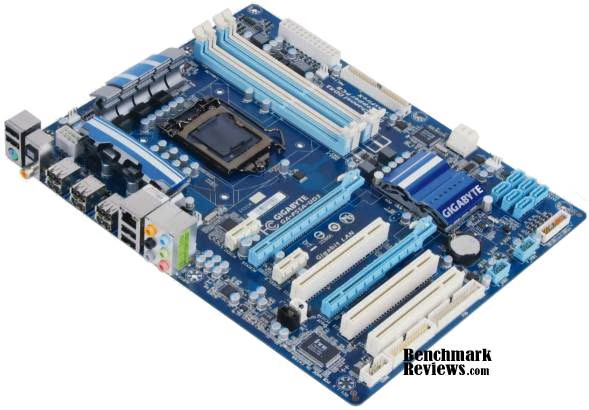
So what is a custom computer, and how does it differ from a machine at my local retail store? When you purchase an Original Equipment Manufacturer (OEM) machine from a store, the tower is ready to go. There's no construction required bar connecting external peripherals such as the monitor, keyboard, and mouse. This is convenient for most people, but it's often unclear as to what hardware you're really getting under the hood. In fact, there's a good chance that some components are custom made, which restricts future upgrade paths due to non-standard parts. It also makes the prospect of enthusiast tweaking such as overclocking difficult, if not straight out impossible.
This guide will take you through the process of designing a modern performance machine, with focus on which components to look out for. The budget ranges from $1000 to $1500; external peripherals and OS are up to you. So if you're like us, and want to pump out the best benchmarks whilst maintaining a healthy budget, then join in as we embark on a journey of custom computer design!
The Battle Plan
If we're going to design a computer, we're going to need a source of parts. To keep things simple we've opted for a single source (NewEgg, to gather prices. Our focus is on a general bang-for-buck build which covers:- General purpose usage such as office applications and multimedia playback
- Modern gaming
- Video editing and encoding
- Upgradability and enthusiast tweakability
- A powerful modern CPU (Core i5/i7 or AMD Phenom II)
- A powerful modern GPU (Nvidia GTX4xx or ATI HD5xxx series)
- A full featured motherboard, including USB3.0/SATA3.0
- A decent capacity HDD (1TB+)
- A wad of RAM (4GB - 6GB)
- A case capable of moving air quickly, quietly, and efficiently
- A large chunk of metal to cool the CPU (aftermarket heatsink)
- An efficient, quality power supply
AMD vs Intel, ATI vs Nvidia - Hold your fire!
Choosing the CPU
When it comes to designing a PC, there's an important prerequisite that dominates the entirety of the project. If you haven't guessed already, this is the platform, in particular, which CPU brand to opt with. The choice of CPU dictates the choice of motherboard. It's an important consideration to ponder before diving head first into part lists. Choosing a platform isn't always straightforward. Readers in the know are probably familiar with Intel's dominance when it comes to performance parts. It is generally accepted that a machine away from 'scraping the barrel' budget offerings are best off with a Core i5/i7 processor. However, AMD do produce some competitive parts, particularly their latest X6 range. For example, the AMD Phenom II X6 1090T is a six-core part which matches the price point of Intel's budget Core i7 quad-core range. More cores doesn't always lead to better performance however, which is evident by benchmarks placing the Intel parts ahead in core independent applications.Pretty Pictures
The graphics platform debate is still a difficult one. Nvidia and ATI often compete with similar performance parts at equivalent price points. The main considerations when choosing a card are:- The temperature of the card, and by extension, the noise generated by the cooling system
- The price/performance ratio
- Scaling of performance in a multi-card setup
- Power draw
Choosing a card can be daunting with so many models on the market. The good news is that only a few models exist at each price point, each with a set of manufacturers who produce them. A quick look at a few benchmarks and you can get a good idea of what’s suitable. Selecting a manufacturer is as simple as picking the cheapest one with a decent warranty.
The Builds
After careful selection, these are the builds for Q3-2010. All prices are from NewEgg. Some items may have rebates which will reduce the overall price further. Be mindful that prices change regularly, and whilst every effort has been made to provide up to date prices, there's no guarantee they'll remain this way. Fortunately, prices tend to go down rather than up. :)
There’s three builds, two Intel and an AMD configuration. The aim is to cater for as many people as possible. Depending on your specific needs, you may wish to remove, change, or add components. No external peripherals or OS have been included.The X58 Build
| CPU: | Intel Core i7 930 | $290 |
|---|---|---|
| Motherboard: | Gigabyte GA-X58A-UD3R | $210 |
| RAM: | G.Skill Ripjaws 6GB (3x2GB) DDR3 F3-12800CL8T-6GBRM | $160 |
| GPU: | HIS HD 5870 1GB | $390 |
| Case: | Silverstone Raven RV02-BW | $160 |
| DVD-RW: | Pioneer DVR-218LBK OEM | $25 |
| Heatsink: | Thermalright Venomous-X RT | $75 |
| PSU: | XFX P1-650X-CAG9 650W | $100 |
| HDD: | Western Digital Caviar Black WD1001FALS 1TB | $90 |
| Total: | $1500 |
The X58 platform is Intel's current top tier package, paired with a LGA1366 socket capable of housing the performance king Core i7 9xx CPUs. Motherboards with a X58 chipset feature tri-channel memory capability and increased PCI-e bandwidth for multi-card setups.
Intel's Core i7 930 was chosen for its budget price, insane performance, and equally impressive overclockability. It's not uncommon to get this CPU to 4.2GHz on air cooling, and 4GHz is almost guaranteed. The Thermalright Venomous X was included for this purpose exactly (if you're willing), otherwise you can leave it out and pocket some change!
Ripjaws were chosen for the memory because of their great price and performance. The 1600MHz clock rate makes it effortless to obtain a high CPU overclock, and the CL8 latency is nothing to scoff at.
The GPU is an ATI HD5870 manufactured by HIS. This card is a high end part, suitable for demanding gaming sessions. It can support 3 displays simultaneously via Eyefinity. The reason we opted for such a card is because of its price point, which slots in nicely, and delivers remarkable performance.
Western Digital have been making fast and reliable drives for many years, and this 1TB offering is no exception. Plenty of storage for a good price.
The Silverstone Raven RV02 case houses the build. Its unique motherboard orientation allows for efficient airflow, and the positive air pressure prevents dust build-up inside the case. It's ultra quiet too!
Overall, this build is perfect for those who want the best platform without paying a fortune, or sacrificing features.
The P55 Build
|
CPU: |
$280 |
|
|---|---|---|
|
Motherboard: |
$130 |
|
|
RAM: |
$98 |
|
|
GPU: |
$290 |
|
|
Case: |
$80 |
|
|
DVD-RW: |
$25 |
|
|
Heatsink: |
Thermalright Venomous-X RT |
$75 |
|
PSU: |
$100 |
|
|
HDD: |
$90 |
|
|
Total: |
$1168 |
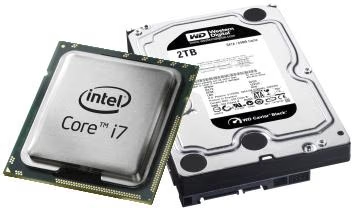 The P55 platform was designed for cost effective performance. The LGA 1156 socket allows Intel's i7 860 to slip into the build; a high performance part with great overclocking potential.
4GB of Team Elite memory is provided, which compliments the dual-channel memory controller due to its two stick configuration.
The XFX 5850 card has been included for its great price to performance ratio. Fans of multi-card configurations may opt for 2 x HD5770 instead, which delivers more power, but requires games which scale well to two cards.
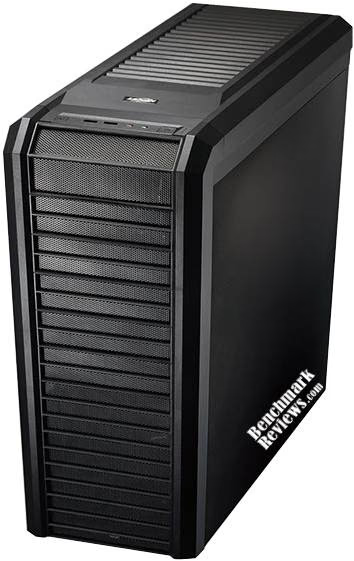
Of course, we're going to need a case, and Lian Li's K60 suits the bill nicely. Its great bundle of cooling fans, build quality, and affordable price make it hard to pass up.
Last but not least, the XFX 650W power supply has been included to bring life to the system. The single rail, high efficiency, high reliability design makes it the perfect choice for high-end gear and enthusiast tweaking.
If you're looking for a budget gaming rig, this is the way to go.
The 880G Build
|
CPU: |
$296 |
|
|---|---|---|
|
Motherboard: |
$105 |
|
|
RAM: |
$98 |
|
|
GPU: |
$390 |
|
|
Case: |
$160 |
|
|
DVD-RW: |
$25 |
|
|
Heatsink: |
Thermalright Venomous-X RT |
$75 |
|
PSU: |
$100 |
|
|
HDD: |
$90 |
|
|
Total: |
$1339 |
Ahh, good ol' AMD. This setup sports the new Phenom II X6 1090T, the six core powerhouse without the price to match! This is the way to go for people who use multi-core aware applications often. Being a black edition, the multiplier is unlocked too, meaning you're all set to overclock it to within an inch of its life!
Due to the nature of AMDs current platforms, the components are very affordable. This 880G build shares components with both the P55 and X58 setups above. Keep in mind that the 880G chipset doesn't offer CrossFire, so if you plan on running two cards, consider the slightly more expensive Gigabyte GA-890GPA-UD3H, or a Gigabyte GA-890FXA-UD5 for full 16x bandwidth on both cards (recommended for high-end cards).
Enthusiast PC Build Alternatives
No one design can cater for everybody. Whilst some people prefer getting maximum performance at all costs, others wish to invest in other areas, such as cool and quiet kit. A gamer will naturally want a beefy GPU or two, whilst an analyst wants CPU power for number crunching.
 Here are some ideas for mixing up the provided builds:
Hardcore gamer/benchmarker
It may be feasible to replace the case with a cheaper option, allowing for a higher-end GPU such as the HD5970, GTX480 or perhaps 2 x HD5850. Keep in mind that the case needs to dissipate the heat of high TDP (Thermal Design Power) components, and have the dimensions to cater for larger video cards. If you're not planning to overclock, cheaper memory and removal of the aftermarket heatsink will help with cost.
If you want to increase performance without skimping on other components, 2 x HD5770 instead of the HD5870 works very well. Keep in mind that some games are finicky with multiple cards. If you benchmark your storage devices, a modern SSD will do wonders.
General Usage/Budget Gamer
General use doesn't require excessive power, particularly if the extent of required resources goes to basic tasks such as video playback. You may omit the heatsink without concern, the stock cooler is sufficient. A high powered GPU isn't required, so something like a single HD5770 would be plenty. As for the CPU, it can be brought down to a i5 750 on the P55 machine, or to a Phenom II X4 955 on the 800G build.
As tempting as it may be, don't skimp on the PSU. Nothing is worse than having an overworked power supply blowing up, taking core components with it. Keep in mind that wattage isn't the only important rating, there's no guarantee that a cheap 1000W PSU can output half that reliably. Quality is very important.
|
CPU: |
$200 |
|
|---|---|---|
|
Motherboard: |
$130 |
|
|
RAM: |
$98 |
|
|
GPU: |
$155 |
|
|
Case: |
$80 |
|
|
DVD-RW: |
$25 |
|
|
PSU: |
$51 |
|
|
HDD: |
$90 |
|
|
Total: |
$829 |
And there we have it, the Enthusiast PC Build for Q3 2010! We love to hear from our readers, so don't hesitate to share your ideas for builds in the forum!
Reader comments from the original article
7 comments were posted before commenting closed. They are preserved as written. Original avatars no longer resolve and are shown as a placeholder.
Exactly 2 months after he dissed the i7-930... Greg Permalink:
...Olin has finally seen the light and acquired one. More power to him! IMHO, it's the fastest processor that makes sense to buy right now. (Micro Center sells it for $200.)
Seriously? Olin Coles Permalink:
LOL! I'm not the only person writing for Benchmark Reviews... this was Vito's project! For the record, I never 'dissed' the i7-930 at all. I'm not even sure where you got that, because our previous discussion was about how more people had the i7-920.
These are configurations of PC lenses! Federico La Morgia Permalink:
I guess we just do not, these configurations are for enthusiast gamers, but gamers medium level. If you want you can benchmark review I propose a configuration enthusiast gamers, since daily selling PCs because of this score:)
RE: Enthusiast Custom PC Build Q3-2010 Robert17 Permalink:
Well done! I've upgraded continuously for 21 years tossing a few bucks at a time into replacing older components. When the kids were growing up I had three units networked which killed my ability to perform a new build. During those years a new build utilizing higher performance parts such as you list above, all modern and shiney new, would have cost a couple of thousand bucks easily. I recall performing the "dream" exercise a few times with an outcome of $3000 to $5000. It's remarkable that such "hot rods" are relatively afordable these days. Just goes to show what free markets are all about. Now that the kids have left us empty nesting the upgrades are on a little quicker path and I'm enjoying my hobby with gusto. Thanks for your help, along with a few others, in keeping pace with the rapid changes.
Nobody James the Hamster Permalink:
I have always wanted to do a build using the I7 920, now I think I will use the 930. Appreciate the info, and what I may need to build a decent build.
Building Custom PC Rob Mills Permalink:
Great guide and packed full of tips - I was going to be attempting a custom build myself recently although it all started to look a little overwhelming when trying to get all the componenets together - I didn't realise that I have recently noticed a number of website systems such as ##computerplanet.co.uk where you can build your own system choosing the parts as you go like CPU, motherboard, graphics card etc so i might end up using something such as this - at least i can select the parts i require/need whilst keeping a close eye on budget as i am building it. Would you recommend this or do you reckon i should just jump straight in and try building one myself? heh.
RE: Building Custom PC Olin Coles Permalink:
I recommend building the computer yourself. It's not very difficult, and there's plenty of instruction available (especially on this website). Plus, you'll be able to repair/upgrade your own system if it's ever necessary.